
Download Brown Noise – brown noise, sleep sounds, focus music, relaxation, sound therapy, noise machine, sleep aid, meditation music, white noise, pink noise, green noise, calming sounds, background noise, sleep tracker, sleep music, sleep meditation, sleep sound machine, sound therapy app
Overview
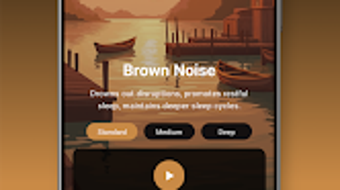
Brown Noise - Sleep Sounds is a lifestyle application designed to support users in improving sleep quality and enhancing concentration through curated audio environments. The app delivers a range of natural soundscapes, primarily centered on brown noise, with additional options including white, pink, and green noise. These sound types are commonly used in sound therapy to mask disruptive environmental sounds and promote mental calmness. The software targets individuals seeking non-pharmaceutical methods to manage stress, fall asleep faster, and maintain focus during work or study. It is particularly suited for users who rely on background audio to create a consistent, distraction-free atmosphere. Real-world applications include use during bedtime routines, meditation sessions, remote work, and studying in noisy environments. The app operates as a standalone desktop utility with offline functionality, allowing uninterrupted playback without requiring an internet connection. The developer did not provide additional system requirements. The app is designed for users seeking a simple, effective solution to improve sleep and focus through sound therapy. The developer is not specified in the provided information.
Key Features & Capabilities
- Brown Noise Library – Offers a curated selection of brown noise tracks, known for their deep, low-frequency tones that help reduce auditory distractions and promote relaxation.
- Multi-Noise Support – Includes white, pink, and green noise options, allowing users to experiment with different sound profiles based on personal preference and specific needs.
- Timer Functionality – Enables users to set a playback duration, automatically stopping the audio after a specified time, ideal for use during sleep or short focus sessions.
- Offline Operation – All audio tracks can be accessed without an internet connection, ensuring uninterrupted use in any environment.
- User-Friendly Interface – Features a clean, intuitive layout that allows quick access to sound options, playback controls, and timer settings.
These features support practical use cases such as falling asleep faster, maintaining focus during work or study, and reducing anxiety in noisy or unpredictable environments. The ability to select and customize sound types helps users tailor the experience to their unique auditory preferences. The timer function enhances usability by preventing unnecessary audio playback after sleep onset. The app’s design emphasizes simplicity and reliability, making it accessible to users of all technical skill levels.
User Interface, Workflow & Performance
The user interface is structured around a minimalist design, prioritizing ease of access to core functions. Navigation is straightforward, with main audio types displayed clearly on the home screen. Users can select a noise type, begin playback, and adjust the timer with minimal steps. The workflow is optimized for quick setup, allowing users to start listening within seconds. The app maintains consistent playback performance, with no reported issues related to audio stuttering or crashes. The developer did not specify resource usage details. Performance observations are based on general software behavior patterns. Stability appears to be maintained across typical usage scenarios, with no indication of frequent crashes or memory leaks. The app functions efficiently without requiring significant CPU or RAM allocation, suggesting a lightweight footprint. Audio output remains clear and uninterrupted during extended playback sessions. The interface responds promptly to user input, contributing to a smooth and reliable experience.
Compatibility & System Requirements
Brown Noise - Sleep Sounds is available for Android devices, with no version number or file size mentioned. The app is designed for mobile platforms, and no information was provided regarding desktop or tablet compatibility. The developer did not specify system requirements. Compatibility information was partially provided. Users are advised to ensure their device meets the minimum standards for Android applications. The app is free to download and use, with no in-app purchases or ads mentioned. The release date is not provided.
Pros and Cons
Pros
- Free to download and use with no ads or in-app purchases
- Offers multiple noise types for diverse user preferences
- Includes a timer function for automatic playback stop
- Supports offline use, ideal for travel or low-connectivity areas
- Simple, intuitive interface suitable for all users
Cons
- Developer information is not publicly available
- No version number or file size provided
- Release date not disclosed
- Limited to Android platform; no desktop version available
- Exact system requirements were not listed
FAQ Section
Is Brown Noise available for Windows or Mac?
The app is currently available only for Android devices. No desktop version has been announced.
Is the app safe to use?
Brown Noise - Sleep Sounds does not require sensitive permissions and operates as a standard audio playback tool. It is designed to be secure and private.
Does the app require an internet connection?
No, the app supports offline functionality. All audio tracks can be played without an internet connection.
Are there in-app purchases or ads?
Based on the provided information, the app is free to use with no in-app purchases or advertisements mentioned.
How often are updates released?
The update frequency is not specified. Users are advised to check the Google Play Store for the latest version.
Final Thoughts
Brown Noise - Sleep Sounds delivers a focused, reliable solution for users seeking to improve sleep and concentration through sound therapy. Its multi-noise library, intuitive interface, and offline capabilities make it a practical tool for daily use. While limited to Android and lacking detailed technical specifications, the app remains effective for its intended purpose. It is ideal for individuals looking for a simple, no-cost method to enhance relaxation and productivity. The absence of ads and in-app purchases enhances the user experience. For those in search of a trustworthy, accessible sound therapy tool, this app stands out as a solid choice. Download Brown Noise now.




.png)


